EN
EN
 العربية


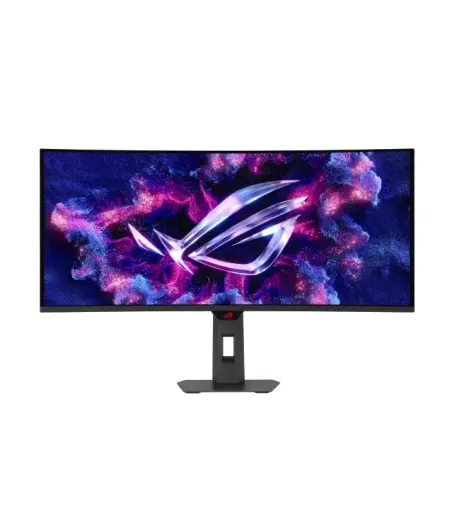
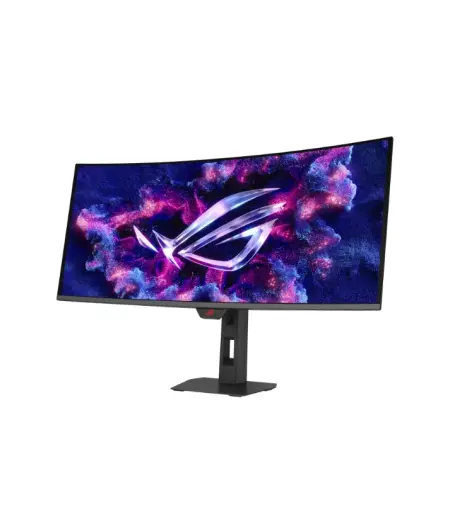
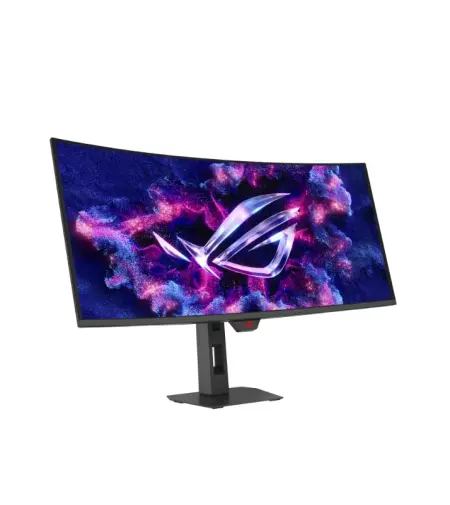
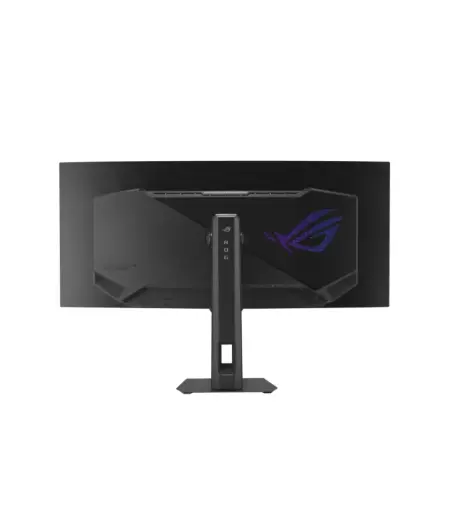
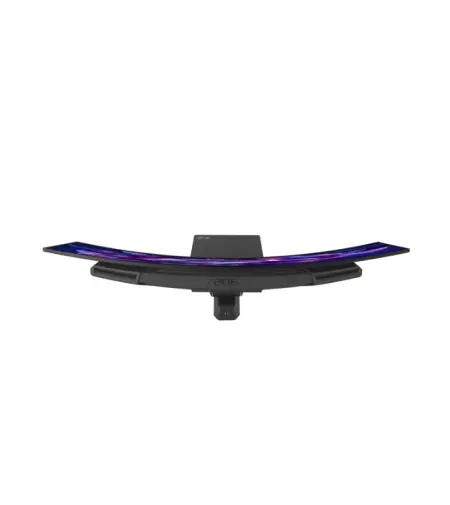
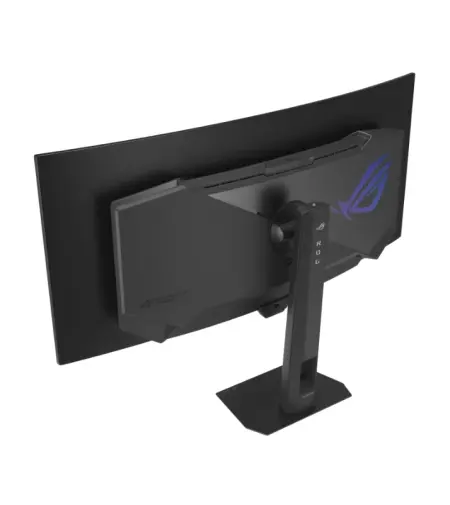
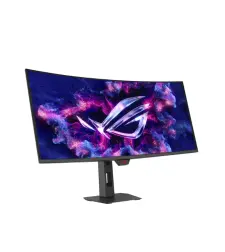
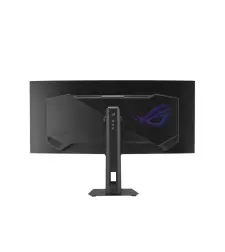
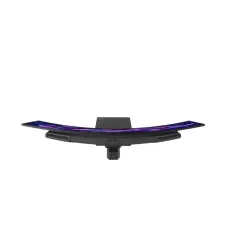
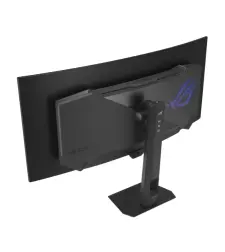
- ROG Strix OLED XG34WCDMTG Curved Gaming Monitor – 34-inch 3440x1440, 240Hz, 0.03ms (GTG), FreeSync & G-Sync Compatible, Android 14 Google TV, WiFi 6, NVIDIA GeForce NOW Pre-Installed, Dolby Vision & Dolby Atmos
Key Specifications:
Ultra-Wide 34" WQHD QD-OLED Curved Screen (3440x1440) with 240Hz Refresh Rate – Delivers immersive gaming with tear-free, ultra-responsive performance
Smart Google TV with Android 14 – Stream apps, movies, and shows seamlessly
High-Speed WiFi 6 with NVIDIA GeForce NOW Pre-Installed – Low latency for online gaming, fast downloads, streaming, and instant cloud gaming
Dolby Vision & Dolby Atmos (5W x 2 Embedded Speakers) – Stunning HDR visuals and immersive cinematic sound without extra speakers
Immersive Gaming Visuals – VESA DisplayHDR™ 400 True Black, 99% DCI-P3 bring vibrant, lifelike colors and deep contrast
Extensive Connectivity Options – DisplayPort 1.4, HDMI 2.1 x2, USB Hub, and USB-C with 90W Power Delivery for laptops and peripherals
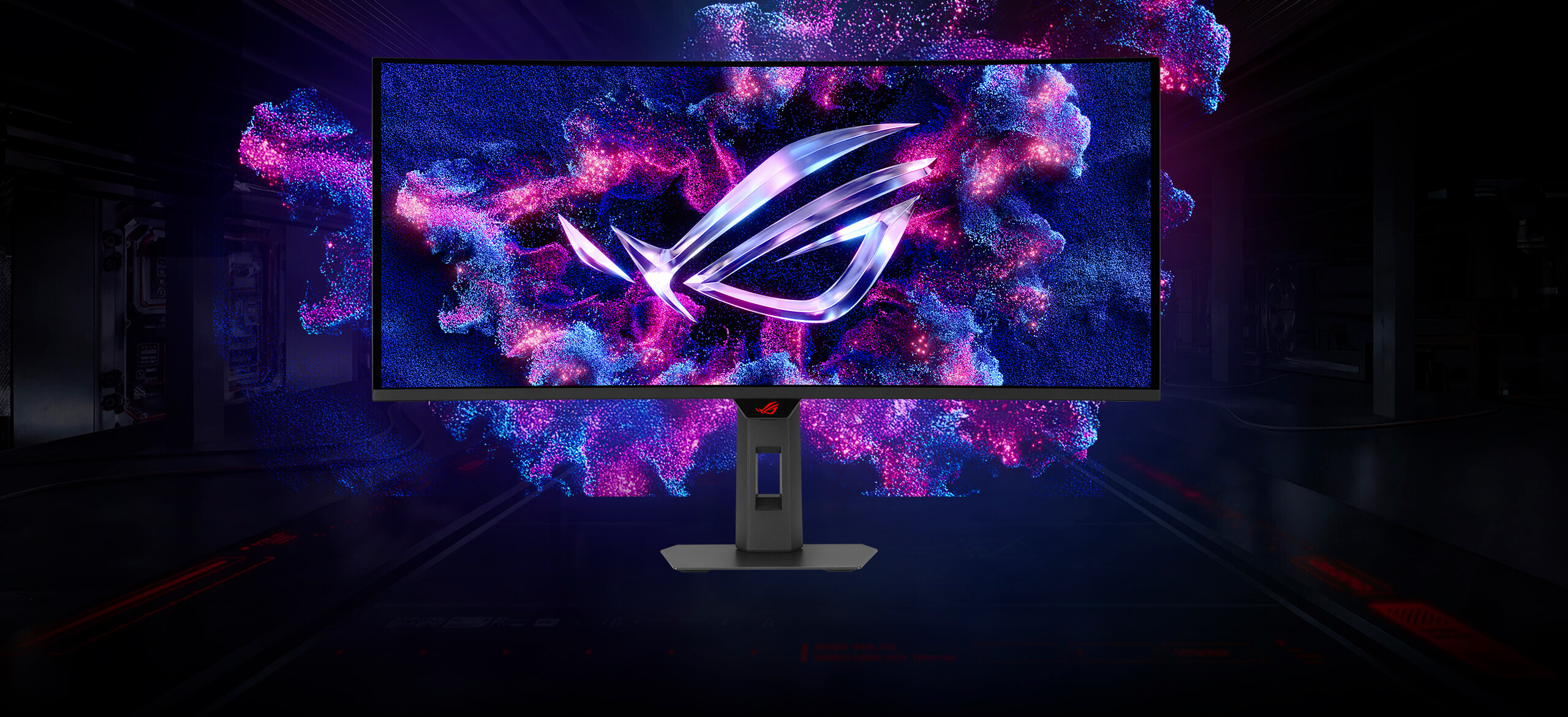
ROG Strix OLED XG34WCDMTG
The ROG Strix OLED XG34WCDMTG is a 34-inch, 240Hz ultra-wide QD-OLED gaming monitor. With the addition of the Neo Proximity Sensor in the new ROG OLED Care Pro suite, the monitor transitions to a black screen when no user is detected, guarding against burn-in. The monitor also comes with built-in Google TV, giving you instant access to a vast library of streaming apps, movies, and shows. Enjoy your favorite entertainment and games seamlessly — all in one display, no external devices required.
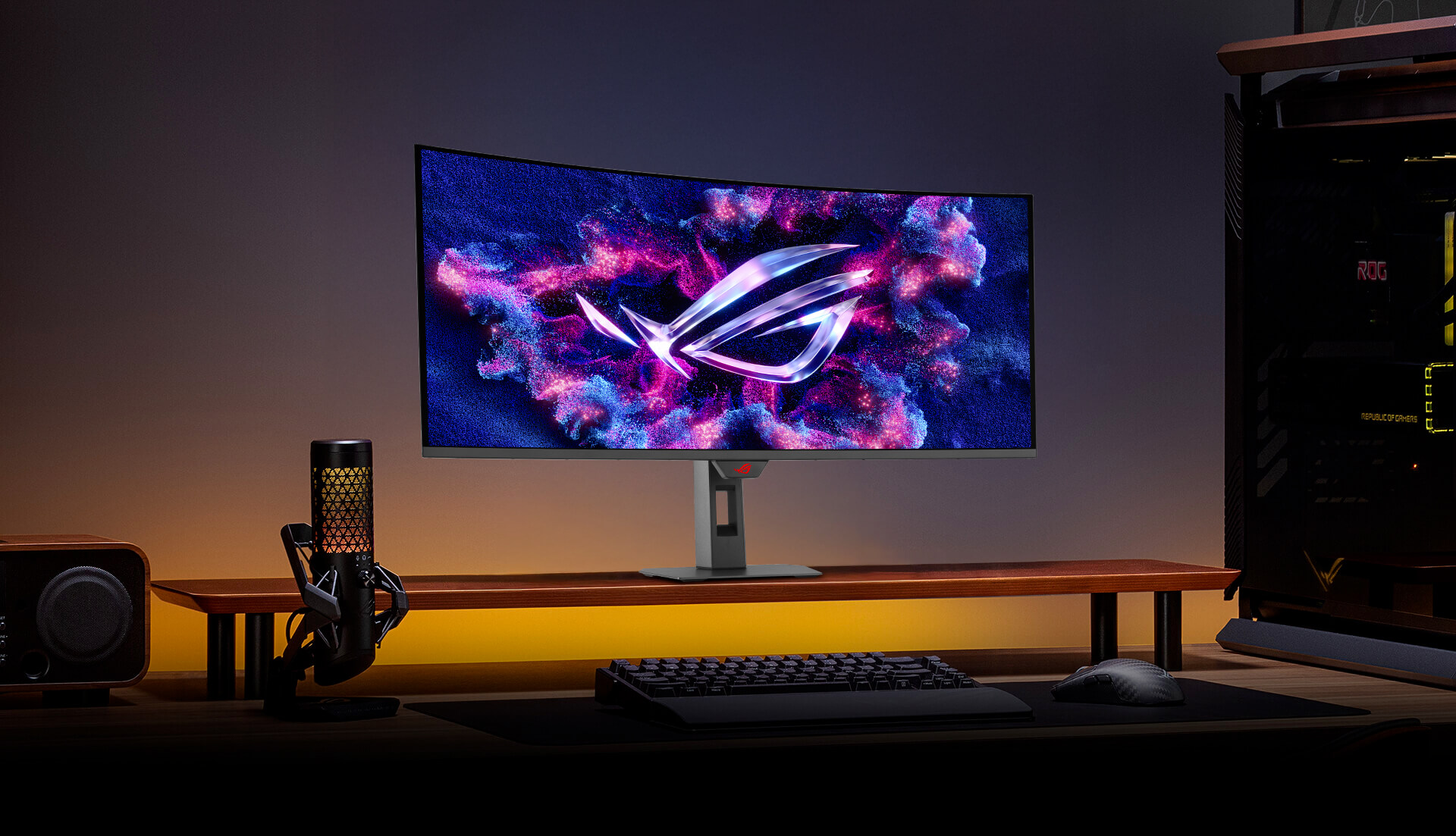
IMMERSIVE GAMEPLAY
Designed for discerning gamers and professional creators, it offers a resolution of 3440x1440 and 1800R curvature for smooth and immersive gaming visuals.
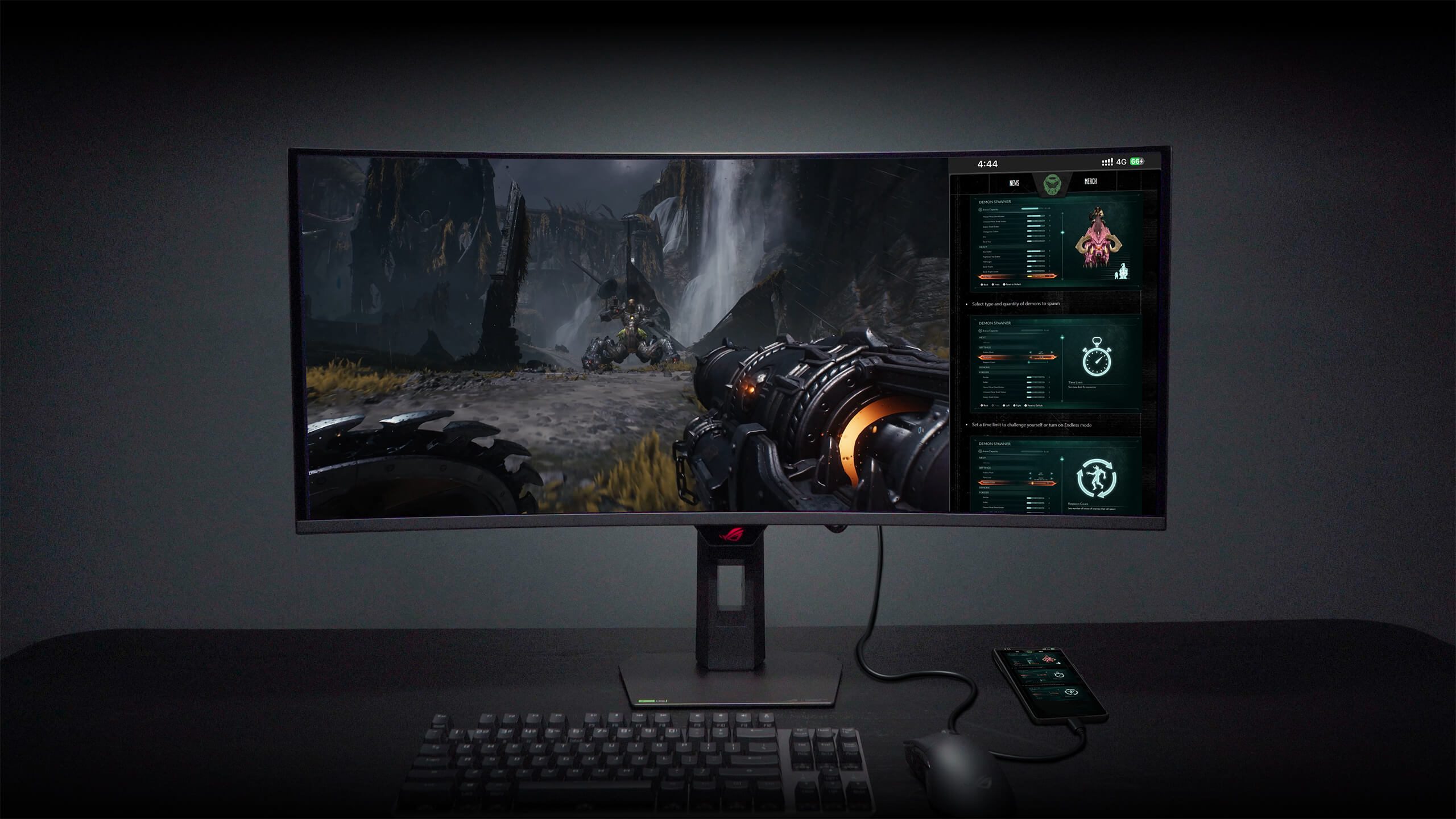
MULTISCREEN
With this feature, you can enjoy seamless cross-platform entertainment and control multiple devices using a single keyboard and mouse — no KVM switch required — while your phone stays connected and charges at the same time. The new Cross Share app further enhances connectivity, allowing you to effortlessly transfer files, images, and content across devices without system limitations.
For more information, please visit: https://rog.asus.com/monitors/32-to-34-inches/rog-strix-oled-xg34wcdmtg/
The ASUS ROG Strix OLED XG34WCDMTG is a 34-inch curved ultrawide gaming monitor featuring QD-OLED panel technology, WQHD (3440x1440) resolution, and blazing 240Hz refresh rate. As part of ASUS's premium ROG Strix line, this monitor delivers the immersive cinematic experience of ultrawide OLED gaming at a more accessible price point than flagship Swift OLED variants — while retaining the core QD-OLED benefits: perfect blacks, infinite contrast, exceptional color accuracy, and near-instantaneous 0.03ms response times. This is the ultrawide OLED for enthusiast gamers and content creators who want premium visual experience without paying the absolute top-tier flagship pricing.
Who This Monitor Is For
This monitor is built for the enthusiast gamer who wants cinematic ultrawide immersion combined with esports-grade responsiveness. If you play AAA games where visual atmosphere matters (Cyberpunk 2077, Alan Wake 2, Star Wars Outlaws, Red Dead Redemption 2, Baldur's Gate 3), racing sims (Gran Turismo, Assetto Corsa, F1 series), flight simulators (Microsoft Flight Simulator), or any game that supports 21:9 aspect ratio properly, the ultrawide format transforms the experience from "playing a game" to "being in the game."
For competitive esports gamers, this monitor delivers 240Hz refresh rate that fully matches high-end 16:9 gaming monitors, combined with the peripheral vision advantage that ultrawide provides in games supporting the aspect ratio (many competitive games, though not all — Counter-Strike 2, Valorant, and Overwatch 2 support ultrawide; some tournament-format games restrict it).
For content creators, streamers, and productivity users, the 34-inch ultrawide format eliminates the need for multi-monitor setups by providing native workspace equivalent to two 24-inch monitors side-by-side without bezel gaps. Video editors get expansive timeline visibility, streamers can display game plus OBS scenes plus chat on a single display, developers get 3-4 code panels visible simultaneously, and traders benefit from multiple chart windows at once.
This monitor specifically appeals to buyers who understand the value tier between "ROG Strix" (enthusiast premium) and "ROG Swift" (absolute flagship). Both lines use similar QD-OLED panels, but the Swift line typically costs 15-25% more for marginal refinements. The Strix XG34WCDMTG delivers approximately 90% of the flagship Swift PG34WCDM experience at meaningfully more accessible pricing — making it the smart value choice in the premium ultrawide OLED category.
If you want the absolute premium ultrawide OLED with ASUS's top-tier tuning and features, our ROG Swift OLED PG34WCDM is the flagship choice at a higher price point. If you want standard 16:9 OLED gaming instead of ultrawide, our ROG Swift OLED PG32UCDM (32" 4K 240Hz) or PG27AQDP (27" QHD 480Hz esports) provide those alternatives. This XG34WCDMTG specifically targets buyers who want ultrawide OLED immersion at the smartest value point.
What Makes This Monitor Special
The QD-OLED panel technology is genuinely transformative for gaming and creative work. Unlike traditional LCD monitors (which use backlights and can never achieve true black), OLED displays produce light at the pixel level — meaning individual pixels can turn completely off for perfect blacks. QD-OLED (Quantum Dot Enhanced OLED) adds quantum dot color enhancement on top, delivering wider color gamut coverage (typically 99%+ DCI-P3) and higher peak brightness than traditional OLED. The result is an image quality difference that must be seen in person to fully appreciate — infinite contrast ratio, HDR content that displays with true HDR impact, and colors that appear more vibrant and accurate than any LCD can produce.
The 34-inch ultrawide format at 21:9 aspect ratio provides approximately 33% more horizontal display area than a standard 16:9 27-inch monitor, without requiring more vertical space than a standard 24-inch monitor. This creates the cinematic gaming experience that ultrawide fans specifically seek — filling more of your peripheral vision, providing wider field of view in games that support it, and delivering immersion that 16:9 monitors architecturally cannot match.
The WQHD 3440x1440 resolution provides the ideal balance for 34-inch ultrawide gaming — pixel density comparable to a 27-inch 1440p monitor while spread across the wider format. This resolution is significantly less demanding than 4K, meaning even mid-range graphics cards (like the RTX 5070 or 5070 Ti) can drive it at high framerates, while premium GPUs (RTX 5080, 5090) deliver maximum framerates. For most gamers, WQHD ultrawide is the sweet spot — enough resolution for sharpness, low enough demand for high framerates.
The 240Hz refresh rate delivers competitive-gaming-grade responsiveness, matching the refresh rate of premium 16:9 gaming monitors. This means you're not sacrificing competitive capability by choosing ultrawide — you get both cinematic immersion AND high-refresh esports performance.
The 0.03ms response time (industry-leading for OLED technology) essentially eliminates motion blur and ghosting artifacts. Fast-moving objects in games remain crystal clear, which matters for both competitive gaming (tracking enemies) and cinematic gaming (fast camera pans, action sequences).
The 1800R curvature wraps the display gently around your peripheral vision at typical desk seating distance, enhancing immersion without introducing distortion. The curvature is subtle enough that productivity work isn't affected (text remains crisp and readable across the entire display) while genuinely enhancing gaming and cinematic content.
ASUS ROG Strix build quality includes premium construction, aesthetic RGB lighting elements (Aura Sync compatible for coordination with other ASUS components), robust adjustable stand supporting height/tilt/swivel adjustments, and comprehensive I/O including HDMI 2.1, DisplayPort 1.4 with DSC, USB hub, and integrated headphone jack.
Full DisplayHDR True Black certification confirms the monitor's HDR performance meets industry standards for OLED HDR display quality — meaning HDR games and movies display with genuine HDR impact, not the "HDR marketing label" that many LCD monitors carry without meaningful HDR capability.
Performance Expectations
For AAA gaming at 3440x1440 ultrawide, this monitor delivers exceptional visual experience. Games that natively support ultrawide (which includes most modern AAA titles) fill the entire display with expanded field of view. Cyberpunk 2077 at ultrawide with ray tracing enabled looks genuinely spectacular. Racing games (Gran Turismo 7, Forza Horizon 5, Assetto Corsa Competizione) transform into significantly more immersive experiences with peripheral vision expanded. Story-driven games (Baldur's Gate 3, Cyberpunk, Alan Wake 2) benefit from the cinematic wide format that mirrors modern film aspect ratios.
For competitive esports at 240Hz, the monitor delivers the same responsiveness as premium 16:9 esports monitors. Counter-Strike 2, Valorant (with 4:3 stretched or 21:9 depending on preference), Overwatch 2, and other 21:9-supporting competitive titles benefit from both high refresh rate and expanded peripheral vision. Some professional esports players prefer 16:9 for consistency with tournament standards, but casual competitive players and streamers often prefer ultrawide's advantages.
For content creation and video editing, the 3440x1440 resolution provides significant workspace for professional applications. DaVinci Resolve, Adobe Premiere Pro, and Final Cut Pro users benefit from expanded timeline visibility. Photo editors in Adobe Photoshop and Lightroom get more image + palette space visible simultaneously. 3D artists in Blender, Cinema 4D, and Maya benefit from larger viewport combined with tool palette space.
For streaming and multitasking, ultrawide format enables having the game, OBS Studio, chat, and browser sources all visible simultaneously without alt-tabbing. Streamers particularly value this productivity, and content creators use the format to display reference material alongside primary work.
For HDR content, the QD-OLED panel delivers genuine HDR impact — not the "HDR400" LCD tokenism, but actual HDR performance with perfect blacks, high peak brightness in highlights, and expanded color volume that HDR content is authored to display. Movies streamed from Netflix, Disney+, or Apple TV+ in HDR display as intended by the content creators.
Component Specifications
- Panel Type: QD-OLED (Quantum Dot Enhanced OLED)
- Screen Size: 34 inches
- Aspect Ratio: 21:9 Ultrawide
- Resolution: WQHD 3440x1440
- Refresh Rate: 240Hz
- Response Time: 0.03ms (GtG)
- Curvature: 1800R
- HDR: DisplayHDR True Black 400
- Color Gamut: ~99% DCI-P3
- Adaptive Sync: G-Sync Compatible & FreeSync Premium Pro
- Connectivity: HDMI 2.1, DisplayPort 1.4 with DSC, USB Hub
- RGB Lighting: ASUS Aura Sync compatible
Why Buy from GamerZone
Every premium monitor purchased from GamerZone comes with local Qatar warranty coverage handled in-country — critical for premium OLED displays where warranty service matters. ASUS ROG components typically carry extended warranty periods reflecting their premium positioning, and GamerZone handles all warranty claims locally without international shipping requirements.
Same-day pickup is available at any of GamerZone's 8 stores across Qatar, or take advantage of our 1-hour delivery service. For premium monitor purchases, we offer white-glove delivery with unboxing and setup assistance upon request — including proper calibration guidance for your specific use case (gaming vs content creation profiles).
For buyers pairing this monitor with a gaming PC, GamerZone's team can recommend the optimal GPU configuration to drive 3440x1440 at 240Hz effectively (typically RTX 5070 Ti or higher for AAA gaming, RTX 5060 Ti or higher for esports). For content creators, we can advise on complete workstation optimization including color-accurate settings for creative work.
Our team includes OLED display specialists who can walk you through OLED-specific care recommendations (pixel refresh cycles, screen savers for extended idle periods, brightness management for OLED longevity) to ensure your monitor delivers optimal performance for years.
Lifetime technical support, calibration advice, and troubleshooting assistance are included with every premium monitor purchase.
What is the difference between ROG Strix and ROG Swift monitor lines?
Both ROG Strix and ROG Swift are ASUS's Republic of Gamers premium monitor lines, but they represent different tiers. ROG Swift is ASUS's absolute flagship line, featuring the most premium features, refinements, and typically the highest prices. ROG Strix is ASUS's enthusiast premium line — still premium quality with similar core panel technology, but at a more accessible price point. For ultrawide OLED specifically, the Strix XG34WCDMTG delivers approximately 90% of the flagship Swift PG34WCDM experience at meaningfully lower cost, making it the smart value choice for buyers who want ultrawide OLED without paying the absolute top-tier flagship pricing.
What is QD-OLED and why is it better than regular OLED or LCD?
QD-OLED stands for Quantum Dot Enhanced OLED. It combines OLED's self-emissive pixel technology (which produces perfect blacks and infinite contrast) with quantum dot color enhancement (which provides wider color gamut and higher peak brightness). Compared to traditional OLED, QD-OLED offers better color volume and brightness. Compared to LCD monitors, QD-OLED offers infinite contrast ratio, perfect blacks (impossible on LCD due to backlight bleed), significantly wider color gamut, and much faster pixel response times (0.03ms vs 1-4ms for LCD). The visual quality difference is immediately apparent when viewing the displays side-by-side.
Is 240Hz useful on an ultrawide monitor?
Yes. 240Hz on ultrawide provides the same competitive gaming advantages as 240Hz on 16:9 monitors — improved motion clarity, reduced input lag perception, and smoother visual experience. For competitive esports games that support ultrawide (Counter-Strike 2, Valorant, Overwatch 2, and others), you get both the peripheral vision advantage of ultrawide AND the responsiveness advantage of 240Hz. For AAA gaming, 240Hz provides smoother motion in cinematic content and reduced motion blur during camera movements. This monitor genuinely delivers competitive-grade responsiveness alongside cinematic immersion.
Do all games support ultrawide 21:9 aspect ratio?
Most modern AAA games support 21:9 ultrawide natively — Cyberpunk 2077, Baldur's Gate 3, Alan Wake 2, Star Wars Outlaws, Red Dead Redemption 2, Elden Ring, and virtually all current AAA titles. Racing simulators (Gran Turismo 7, Forza Horizon 5, Assetto Corsa) support ultrawide with expanded peripheral view. Some competitive esports games support ultrawide (CS2, Valorant, Overwatch 2, Apex Legends), while others restrict aspect ratio for competitive fairness (some tournament-format games). Older games (pre-2018) may have limited ultrawide support, though community mods often add compatibility. For most modern gaming, ultrawide support is excellent.
What GPU do I need to drive this monitor at 240Hz?
For competitive esports gaming at high framerates, an RTX 5060 Ti or better handles most competitive titles at high refresh rates on this display. For AAA gaming at 3440x1440 with high settings, an RTX 5070 Ti or RTX 5080 provides the sweet spot — driving current AAA titles at 100-144+ FPS at high-to-ultra settings. For maximum framerates approaching the 240Hz refresh cap in AAA gaming, RTX 5090 provides the highest capability. This monitor pairs excellently with GamerZone's Ryzen 7 + RTX 5070 Ti, Ryzen 7 9800X3D + RTX 5080, or higher-tier PC builds.
Do I need to worry about OLED burn-in?
OLED burn-in is significantly reduced in modern QD-OLED panels compared to earlier OLED generations, but requires some awareness. This monitor includes ASUS's OLED care features: pixel refresh cycles that run automatically to prevent uneven pixel wear, screen savers to activate during idle periods, brightness limiters for static content, and pixel shift technology that imperceptibly moves the image to prevent long-term burn-in patterns. For typical gaming and mixed-use scenarios (gaming, video, occasional productivity), OLED burn-in is not a practical concern with proper care. For 8+ hours daily of static content displays (spreadsheets, code editors), IPS or VA monitors may be more appropriate for that specific use case.
Is this monitor good for productivity and content creation?
Yes, excellently. The 34-inch ultrawide format provides workspace equivalent to two 24-inch monitors side-by-side without bezel gaps — ideal for video editors (expanded timeline visibility), streamers (game plus OBS plus chat all visible), developers (multiple code panels), traders (multiple chart windows), and general productivity users who benefit from wider workspace. The ~99% DCI-P3 color gamut coverage makes this monitor suitable for professional content creation including video editing and photo editing where color accuracy matters. The QD-OLED technology's infinite contrast is particularly beneficial for HDR video content creation and review.
Does this monitor work with PS5 and Xbox Series X?
Yes. This monitor works with PS5, Xbox Series X, and other consoles via HDMI 2.1. However, current-generation consoles output at 4K 16:9 aspect ratio primarily — they don't natively support 21:9 ultrawide, so console gaming will typically display with black bars on the sides or use pillar-boxed formatting. PS5 supports 120Hz maximum on compatible games. Xbox Series X supports 120Hz on compatible games. For maximum console gaming compatibility with ultrawide, this monitor works but doesn't provide native ultrawide experience. Console gaming is possible but not the ideal use case for this display.
How does this monitor compare to the ROG Swift OLED PG34WCDM?
Both are 34-inch WQHD 240Hz curved QD-OLED ultrawide gaming monitors from ASUS ROG. The Swift PG34WCDM is ASUS's absolute flagship ultrawide OLED with premium tier positioning, while this Strix XG34WCDMTG is ASUS's enthusiast premium ultrawide OLED at a more accessible price point. Core panel technology (QD-OLED, WQHD, 240Hz, 0.03ms) is very similar between them. Differences typically involve premium build refinements, more premium stand mechanics, additional feature refinements, and slightly higher color/brightness tuning on the Swift line. For buyers who want the absolute premium experience, the Swift is the choice. For buyers who want ultrawide OLED excellence at more accessible pricing, this Strix delivers approximately 90% of the flagship experience at meaningfully lower cost.
How does this compare to the ROG Swift OLED PG32UCDM (32" 4K)?
The ROG Swift OLED PG32UCDM is 32-inch 4K 240Hz standard 16:9 QD-OLED, while this XG34WCDMTG is 34-inch WQHD 240Hz curved ultrawide QD-OLED. Choose the PG32UCDM if you prioritize maximum resolution (4K), standard 16:9 aspect ratio for maximum game compatibility including tournament esports, and don't specifically want the ultrawide format. Choose this XG34WCDMTG if you prioritize cinematic ultrawide immersion, peripheral vision expansion in gaming, expansive productivity workspace, and 21:9 gaming experience. Both are premium OLED monitors serving different use cases and preferences.
Does this monitor support HDR gaming and movies?
Yes, exceptionally. The QD-OLED panel is DisplayHDR True Black 400 certified, delivering genuine HDR performance with perfect blacks (impossible on LCD monitors), high peak brightness in highlights, and expanded color volume. HDR games (Cyberpunk 2077 HDR, Alan Wake 2 HDR, Star Wars Outlaws HDR) display with dramatic visual impact. HDR movies from Netflix, Disney+, Apple TV+ in HDR/Dolby Vision display as content creators intended. This is genuine HDR performance, not the "HDR400" marketing labels that many LCD monitors use without meaningful HDR capability.
What connectivity does this monitor have?
This monitor includes HDMI 2.1 (supporting 4K 120Hz on compatible sources like PS5 and Xbox Series X, and full 240Hz on compatible PC GPUs), DisplayPort 1.4 with Display Stream Compression (supporting 240Hz WQHD from PC GPUs), USB hub for peripheral connectivity, and headphone jack. HDMI 2.1 support is important for future-proofing and console compatibility. DisplayPort 1.4 with DSC provides the primary PC connection for maximum performance.
Is the 1800R curvature comfortable for gaming and productivity?
Yes. The 1800R curvature is a relatively gentle curve — subtle enough that productivity work (text reading, spreadsheets, code) remains crisp and readable across the entire display without distortion, yet pronounced enough to enhance gaming immersion by wrapping content around your peripheral vision at typical desk seating distance. This curvature is widely considered the ideal balance for 34-inch ultrawide displays. First-time ultrawide users typically adapt to the curvature within days and find it enhances rather than detracts from productivity work.
What warranty does GamerZone provide on this premium monitor?
GamerZone provides local Qatar warranty coverage through ASUS's regional warranty program on ROG monitors. Warranty service is handled in-country without international shipping requirements. ASUS ROG monitors typically carry 3-year warranty coverage reflecting their premium positioning. For OLED displays specifically, GamerZone provides guidance on OLED care practices to maintain optimal display performance throughout the warranty period and beyond. Free lifetime technical support is included covering calibration questions, driver optimization, HDR configuration, and any technical assistance needed throughout the monitor's lifecycle.
What GamerZone PC builds pair best with this monitor?
For 3440x1440 gaming at high framerates, we recommend pairing this monitor with our Ryzen 7 + RTX 5070 Ti Gaming PC (QAR 12,599) as the value sweet spot, or our Ryzen 7 9800X3D + RTX 5080 build (QAR 15,199) for maximum gaming performance. For content creators wanting workstation performance alongside gaming, our Ryzen 9 9950X3D + RTX 5080 or i9-14900K + RTX 5080 builds provide the multi-core productivity power needed for professional workflows. For absolute maximum performance driving this monitor at its full capability in the most demanding scenarios, our flagship Ryzen 9 9950X3D + RTX 5090 or Intel Ultra 9 + RTX 5090 builds provide the highest capability. Our team can advise on the ideal PC configuration for your specific use case.
More Products

RELATED PRODUCTS
AOC C32G42ZE - 32'' FHD 260Hz Curved Gaming Monitor
AOC Q27G4ZD QD-OLED 27" QHD 280Hz Gaming Monitor
AOC Q27G42ZE 27'' QHD 260 Hz Gaming Monitor
ASUS ROG Swift OLED PG27AQWP-W Gaming Monitor